


A One-Stop Guide to Remote Software Developers Onboarding
 Anastasiia KlokRecruitment Team Lead
A new developer joins your team on Monday. By Friday, they still cannot access the repo, no one has explained the roadmap, and they have spoken to two people. This is how good hires quietly decide to leave. Gallup reports that only 12% of employees strongly agree their organization does a great job onboarding new hires. For distributed teams, the gap is wider, because none of the informal cues of an office fill in for a weak process.
The stakes are measurable. A Brandon Hall Group study found that a strong onboarding process improves new hire retention by 82% and productivity by over 70%. In 2026, onboarding is no longer a first-day orientation. It is a structured, mostly async integration that runs across the first 90 days, backed by clear documentation, early access, and regular manager check-ins.
Relevant Software has provided dedicated development team and staff augmentation services since 2013. We have seen remote onboarding work well, and we have seen it go wrong. Below is the process we use, in three practical steps.
Step 1. Introductions
A new hire has to absorb a lot at once: colleagues, tools, and company culture. Present it in a way that does not overwhelm them. The best way to do that is to start introductions well before the first day.
Introduce Tools and Software
To shorten training and make the first days productive, make sure the new hire knows the tools they will use. Share the software list during the final interview round. They can install and explore the tools ahead of time. Pre-boarding matters: surveys show many remote hires get no pre-boarding at all, and it is one of the easiest gaps to close.
BONUS: Provide detailed manuals for these tools, or arrange a short session with an instructor. If you use the Atlassian stack, keep those manuals in a Confluence space.
Introduce Your Company and Project
If you are hiring a dedicated team, tell them what your project is and where it is going. Answer these questions:
- What are your company and the project you are hiring for?
- What is the function of the said project?
- What are its short-term and long-term goals?
- What issues has it faced before and how were they solved?
- What issues is it facing now, or will it face in the near future?
- Which tasks are the most important right now?
It sounds like a lot, but it gives the newcomer a clear reference for the situation around your company and helps them feel confident.
Introduce Corporate Culture
Every company does things a little differently. Some expect a business dress code. Others are fine with smart casual. Then there is the atmosphere, the level of familiarity between employees, the rules for escalating issues, and thousands of small details your team has developed into a unique culture. Absorbing all of it without a reference point can overwhelm a new hire, and remote workers miss the office cues that usually carry this information.
Create an Employee Handbook that describes the basic rules of working at your company. For example, “act tactfully towards your colleagues,” “hold virtual coffee meetings,” or, if you are on the stricter side, “do not use corporate channels for non-work communication.”
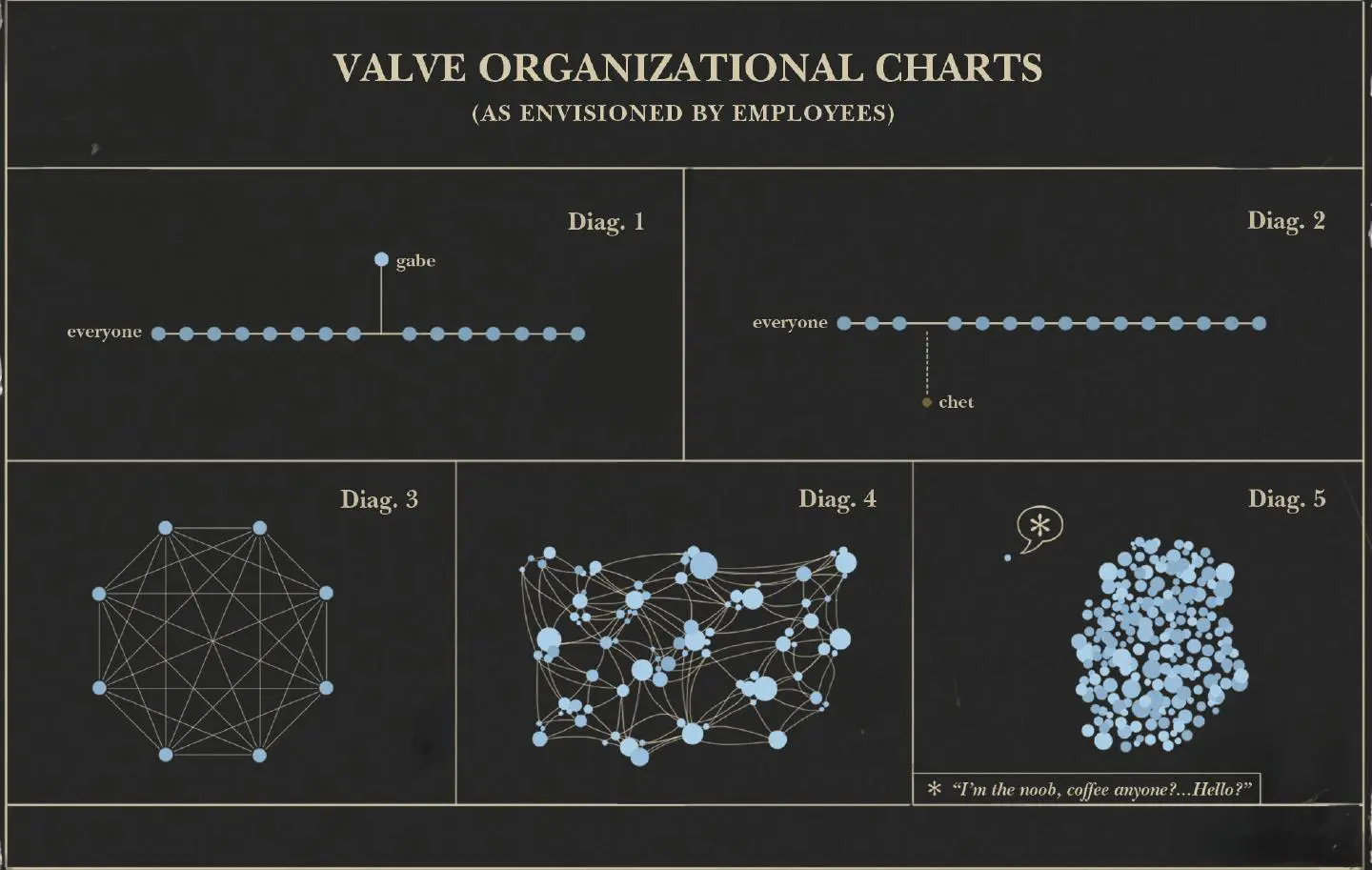
For a strong reference, look at Valve’s handbook. It is extensive yet well executed. It shows the company’s history, philosophy, key infrastructure, and how it handles common issues. And it is not boring.
BONUS: A handbook is a great tool, but summarize it for your hire during their first onboarding meeting. It eases them into the culture and gives them a chance to ask questions.
Introduce Future Colleagues
One rule for personal introductions: keep it simple. Use this approach as a basis:
- Introduce the future team leader to the new employee during the last round of negotiations. Let them both ask questions.
- Introduce the rest of the team on the first day. Appoint a mentor or onboarding buddy beforehand and introduce them specifically. Buddy programs are one of the highest-leverage moves in remote onboarding, and they help new hires reach productivity faster.
BONUS: For a remote team, run a short video call to introduce key people, and record it so the new hire can revisit names and faces later. It makes your company feel like a real group of people rather than names in a chat window.

Step 2. Workplace Setup
With introductions done, ease your new hire into the workflow. Most companies get this part right, but a checklist still helps. It matters more than it looks: surveys show that up to 39% of remote employees report their organization did not set up technology properly when they started, with missing software, wrong permissions, and delayed hardware as common complaints.
When you add a new developer to your project, make sure they have everything they need to start:
- Access to the corporate chat. If it supports groups and private rooms, add the new employee to everyone they need.
- Access to the project management system, with the privileges to edit tasks.
- Access to the test environment and the API keys.
- Access to internal documentation, guidelines, and manuals.
- An introduction to the meetings plan.
- Access to internal services, such as the help desk, IT support, and other tools.
You can grant access only when the need comes up, but that makes the first days miserable. Spend an hour granting access up front rather than lose goodwill and make a bad first impression.
Step 3. Technical Documentation
The first two steps apply to all hires. This one is specific to developers. Without technical documentation, they cannot start work. They have no frame of reference to appraise the project, judge best practices, or spot the pain points.
From experience, we have waited weeks, sometimes months, because a customer forgot to renew access credentials or lacked project documentation. That time went to chasing communication or figuring out how to run the project in a local environment.
So we built a checklist for remote developer onboarding:
- Source code, ideally as access to your Git repository.
- Database and its setup manual.
- Dependencies for your project, including the version number for each one.
- API keys and credentials for the tools used in the project.
- Sample data and the manual for entering it.
- Test suites, to confirm everything runs fine.
- Deployment credentials for the staging and production servers.
- Development notes, if available. They help the new team learn the application’s quirks and avoid the previous team’s mistakes.
If you use any unusual tools, such as a custom compiler for your production server, include the instructions with the credentials. Deployment is a scripted process, and developers need the steps to avoid breaking existing features.
BONUS: Include a Docker file with a working build of your project. Docker packages the software with its dependencies and settings, which saves time when setting up local environments. Provisioning repos, environments, and docs before day one, rather than on it, is now a baseline expectation for remote developers.
Questions to boost your onboarding
Onboarding is not a hard science, and there are many ways to do it. Improvise, and build practices that fit your company better than the generic template.
To evaluate your current program, consider how well it answers these questions:
- Is our company welcoming?
- Are our employees proud to work here?
- Can we share a story that symbolizes it?
- Are our vision, goals, and uniqueness visible to new employees?
- Do our employees know that they matter to us?
- Is our onboarding program interesting? Does it produce feedback?
- Is that feedback acted on?
- Do we set clear 30-60-90 day goals with regular manager check-ins?
- Do we have an extensive knowledge base?
Be honest here, even if you do not like the answers. Each “No” on this list is a chance to focus on and improve an aspect of your company.
Read more about remote leadership and managing a remote team.
Conclusion
Remote developer onboarding is not strictly mandatory. Some companies skip it and keep the lights on. But they bleed talent, hire constantly, and never perform as well as they could.
If you want to use your resources fully and keep the best people, you need a solid onboarding process. Only then will you reduce turnover and see the full capabilities of your new staff. There is no single system that works everywhere, but you can use these guidelines to build your own.
Note that we left out HR paperwork and workstation setup. There is a simple reason: we handle it for you. Hire a Relevant dedicated team and office space, hardware, and software are already taken care of. We also handle HR, retention, payroll, taxes, and the rest of the routine bureaucracy on our end. All you do is introduce our team to your company, give us access to your project, and watch us turn it into a releasable application at speed.


